
If your feet are flat on the floor but your shoulders creep upward when you type, your desk may be too high. You might lower your chair to compensate, only to find that your feet no longer rest comfortably on the floor.
This is a common problem for shorter users. Many fixed office desks are built to a standard height that may be too high for people with shorter arms, legs, or torsos. A desk that works well for a taller person may force a shorter user to reach upward just to use a keyboard and mouse comfortably. Over time, that position can contribute to tension or discomfort in the shoulders and neck.
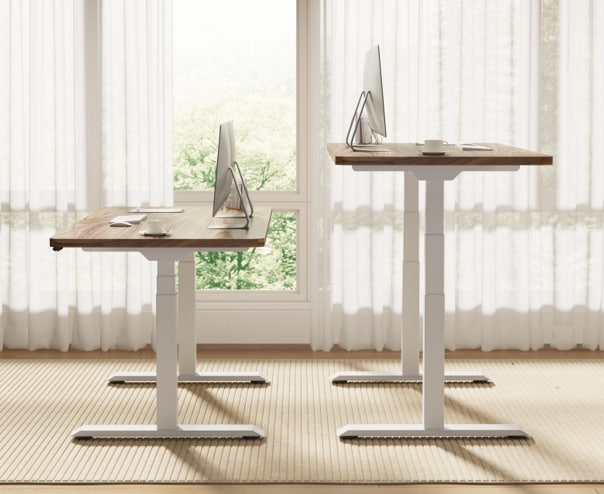
The solution is not simply finding the lowest desk possible. A better approach is to choose an adjustable computer desk that can match your working position, from a comfortable seated height to a useful standing height.
Why Standard Desks Feel Too High for Short People
Fixed office desks are designed around general dimensions, not individual body proportions. That can make them feel too high for people with shorter arms, legs, or torsos. A person's experience at a desk is shaped by these individual measurements, not just overall height.
A desk that is too high changes more than your arm position
--altImgStart--{"link":"https://s3.springbeetle.com/prod-us2-bucket/desk-too-high-vs-correct-height-short-person_20260828_NLOtbavs.png","alt":"Comparison of a desk that is too high and a properly adjusted desk for a shorter person."}--altImgEnd--
When the work surface is too high, your shoulders may naturally rise to reach the keyboard. Your elbows may sit higher than they should, and your wrists may angle upward toward the keys. This position can contribute to tension in the shoulders and neck over time.
Lowering your chair can create another problem: your hands may get closer to the desk, but your feet may no longer sit flat on the floor. You can end up choosing between supporting your feet and reaching the desk comfortably. Chair height and desk height should be considered together.
Your height is only a starting point
Two people who are both 5'2" can still need different desk settings. One may have a longer torso and shorter arms; another may have longer legs and a shorter torso. These differences affect where your elbows naturally sit in relation to the work surface.
This is why a simple rule such as "people under 5'4" need a 24-inch desk" is not precise enough. Your body gives you a better starting point: your seated elbow height, measured with your shoulders relaxed and your feet supported.
How to Find Your Ideal Desk Height
The best desk height for a shorter person is not determined by height alone. It depends on how the finished work surface aligns with your body while you work.
When shopping for an adjustable computer desk, people often focus on the maximum height—48, 50, or even 52 inches. For shorter users, however, the minimum height is often more important. If the desk cannot lower far enough, its adjustment range won't solve the problem.
Measure your seated elbow height (your starting point)
Here's a practical way to begin:
- Sit in your usual office chair with your feet flat on the floor.
- Let your shoulders relax and bend your elbows to roughly 90 degrees.
- Measure from the floor to the level of your elbows.
This gives you a starting measurement—not a final number. From there, make small adjustments based on your keyboard, mouse, and how your shoulders and wrists feel. Your measurement is more useful than a height chart based only on your overall height.
Check the desk's minimum height
Once you know your approximate seated working height, compare it with the desk's specifications. Look for the actual minimum frame height, not a label like "height adjustable."
A desk with a minimum of 26 inches may still be too high for some shorter users. Models with minimum frame heights closer to 22 inches offer more flexibility when matching the desk to your seated elbow height.
Account for desktop thickness
Frame height is not always final desktop height. If you add a desktop, its thickness adds to the total working surface.
If the frame height is listed without the desktop:
Finished desk height ≈ frame height + desktop thickness
--altImgStart--{"link":"https://s3.springbeetle.com/prod-us2-bucket/desk-frame-height-vs-desktop-thickness_20260828_wAGm1CQi.png","alt":"Diagram showing how desktop thickness adds to adjustable desk height."}--altImgEnd--
Example: if your comfortable seated work surface is around 24 inches and the desktop is 1 inch thick, a frame that lowers to 23 inches yields a 24-inch finished surface. A frame that stops at 24 inches would put the desktop closer to 25 inches.
Lower is not always better
The lowest possible setting is not automatically your ideal setting. The goal is to bring the work surface to your body—not to keep the desk as close to the floor as possible. Once your elbows, keyboard, mouse, and shoulders are in a comfortable relationship, you've found your target.
What to Look for in an Adjustable Desk for Short People
Once you understand your measurements, focus on a few key factors rather than comparing dozens of features.
1. A low enough minimum height
If the desk cannot reach your comfortable seated height, the rest of its adjustment range won't help. The right minimum height depends on your seated elbow height and desktop thickness.
2. A height range that covers both sitting and standing
The desk should cover the positions you actually use—your comfortable seated height and your standing height. A wider range can offer more flexibility, but the useful range is the one that includes your actual working positions.
3. Stable at both sitting and standing heights
Height adjustment is only useful if the desk remains stable while you work. Check the frame design, leg construction, and weight capacity. Stability matters even more with multiple monitors or heavy equipment.
4. Enough desktop space without excessive reach
More workspace can be useful, but bigger is not always better. If you choose a larger desktop, organize it in zones: keep your keyboard, mouse, and primary monitor within easy reach, while placing less frequently used items farther back or to the sides.
5. Simple height presets
If you switch between sitting and standing, saved heights make the process much easier. Instead of searching for your ideal position each time, you can return to a familiar setting with one button.
How to Set Up Your Desk
Buying the right desk is only the first step. Setting it up correctly matters just as much.
Start with your chair
Adjust your chair first. Your feet should have stable support, and your knees should be in a comfortable position. Sit back in the chair rather than leaning forward to reach the desk.
--altImgStart--{"link":"https://s3.springbeetle.com/prod-us2-bucket/standing-desk-minimum-height-ergonomics_20260828_7xrcL9G7.png","alt":"Infographic comparing correct vs incorrect sitting posture on an adjustable height standing desk."}--altImgEnd--
Set the desk to your arms
Adjust the desk so your shoulders can relax while your elbows stay close to your body. Place the keyboard and mouse where you can use them without reaching forward. Start near your seated elbow measurement and make small adjustments from there.
Raise the monitor separately
If the desk is low enough for comfortable typing, your monitor may need to sit higher. A monitor arm or stand lets you position the screen independently.
Your desk should fit your hands. Your monitor should fit your eyes.
They do not always need to move together.
Keep frequently used items within easy reach
You don't need every item directly in front of you. Keep your keyboard, mouse, and primary monitor in your main work zone. Place less frequently used items farther to the side.
Save your preferred heights
Once you find positions that work, save them if your desk has memory presets. This removes the guesswork from switching between sitting and standing.
Example: Why Minimum Height Matters
When comparing adjustable desks, the minimum frame height can make a meaningful difference for shorter users. A frame that starts at 22.8 inches produces a different finished surface than one that starts at 24 or 26 inches once desktop thickness is added.
| Minimum Frame Height | Desktop Thickness | Finished Surface Height |
| 22.8 inches | 1 inch | 23.8 inches |
| 24 inches | 1 inch | 25 inches |
| 26 inches | 1 inch | 27 inches |
For example, the FlexiSpot E7 lists a frame height range of 22.8 to 48.4 inches without the desktop. With a 1-inch desktop, the finished surface would be approximately 23.8 inches. This illustrates why both frame height and desktop thickness matter when evaluating a desk for a shorter user.
Whether that height works for you still depends on your seated elbow height. The spec sheet gives you a starting point, but the final decision should be based on how the desk aligns with your actual working position.
Frequently Asked Questions
1. What is the best desk height for a short person?
There is no single desk height that works for everyone based only on height. A better starting point is your seated elbow height, then adjust the finished work surface until your shoulders relax and your arms work comfortably.
2. How do I know if a desk is too high for me?
If you have to raise your shoulders to type, reach upward for the keyboard, or lower your chair so far that your feet lose support, the desk is likely too high. Compare your seated elbow height with the desk's finished surface height.
3. Is a 24-inch desk too high for a short person?
It depends on your seated elbow height and desktop thickness. A 24-inch surface may work for one person but feel too high for another. Measuring your working position is more useful than relying on a fixed number.
4. Is a height-adjustable desk better for short people?
It can be, especially if a fixed desk is too high. The key is whether the desk can adjust low enough for you—not simply whether it has the feature.
5. What should I look for in an adjustable computer desk?
Start with the minimum height and full adjustment range. Then consider desktop thickness, stability, workspace, and whether it accommodates your equipment without forcing an awkward position.
6. Can a desk be too low for a short person?
Yes. The goal is not the lowest possible setting. Your desk should be high enough for your arms to work comfortably with your shoulders relaxed and wrists neutral.
7. Are larger desks better for short people?
Not necessarily. A larger desktop can be useful for multiple monitors and accessories, but too much depth can make frequently used items harder to reach. Choose a surface that fits your setup without pushing primary equipment too far away.
8. Does desktop thickness affect desk height?
Yes. If a manufacturer lists frame height without the desktop, the finished surface will be higher once installed. Check both specs when comparing desks.
9. How do I set up a monitor if my desk needs to be very low?
Raise the monitor independently with a monitor arm or stand. This keeps your keyboard at a comfortable height while positioning the screen where you can see it comfortably.
Final Takeaway
Finding the right desk as a shorter person is not about finding a desk labeled "for short people." It's about finding a desk that can adapt to your body.
Start with your seated elbow height. Then check the desk's minimum height, desktop thickness, adjustment range, stability, and workspace. A desk does not need a special label to work well—what matters is whether it can reach the height your body needs.
A good adjustable computer desk lets you set your keyboard where your arms feel natural, position your monitor where you can see it comfortably, and switch between sitting and standing without rebuilding your workstation each time.
The right desk does not ask you to adapt to its fixed dimensions. It gives you enough adjustment to make the workspace fit you.