
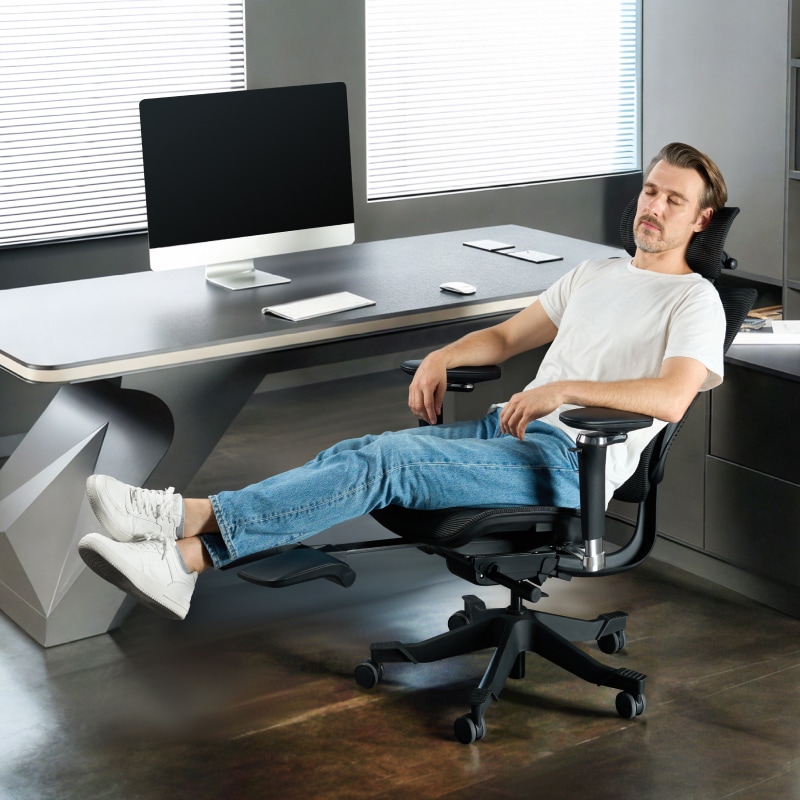
Whether you’re a remote worker hard at work in your home office, a student pulling an all-nighter, or a full-time employee logging over eight hours at a desk daily, investing in a good ergonomic chair is necessary for maintaining your posture and avoiding strain on your back, neck, and shoulders. However, with countless options on the market, finding a high-quality ergonomic chair under $500 can be a daunting task. Many budget chairs cut corners on key features like weight capacity or adjustability, leaving you with soreness and discomfort.
This guide breaks down the process of choosing an ergonomic office chair into simple, actionable steps: from confirming the presence of core features, like safety and adjustability, to picking the right accessories and ensuring a perfect fit for your body and space. We’ll also clear up common questions like whether a foam or mesh seat is better or if budget ergonomic chairs can support heavier users to help you avoid pitfalls and get the most value for your money. By the end, you’ll know exactly how to find a chair that keeps you comfortable, healthy, and productive, all without breaking the bank.
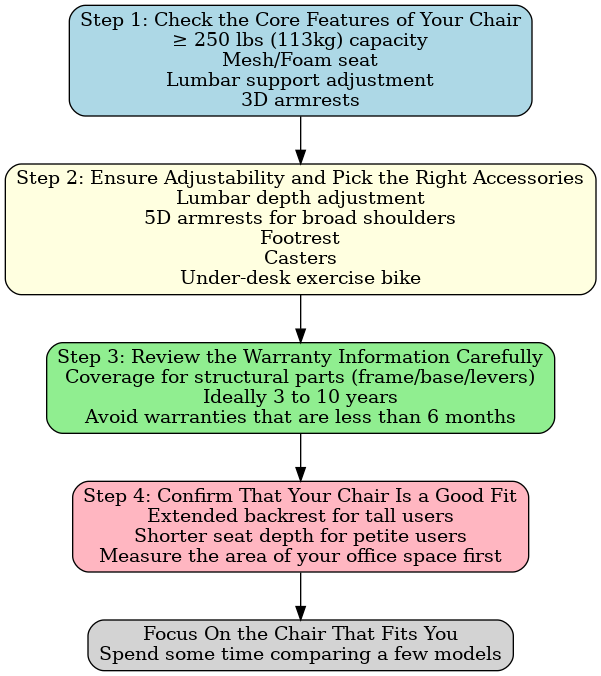
Step 1: Check the Core Features of Your Chair
Ensure a Minimum Weight Capacity of 250 lb
Choose an ergonomic office chair that supports at least 250 lb (113kg) in weight. If you weigh over 200 lb (91kg), it’s best to go for models with a 300 lbs weight capacity (136kg), as these chairs are typically constructed with thicker steel frames (e.g., 1.2 mm vs. 0.8 mm) and reinforced bases to ensure long-term stability and reduced wobbling.
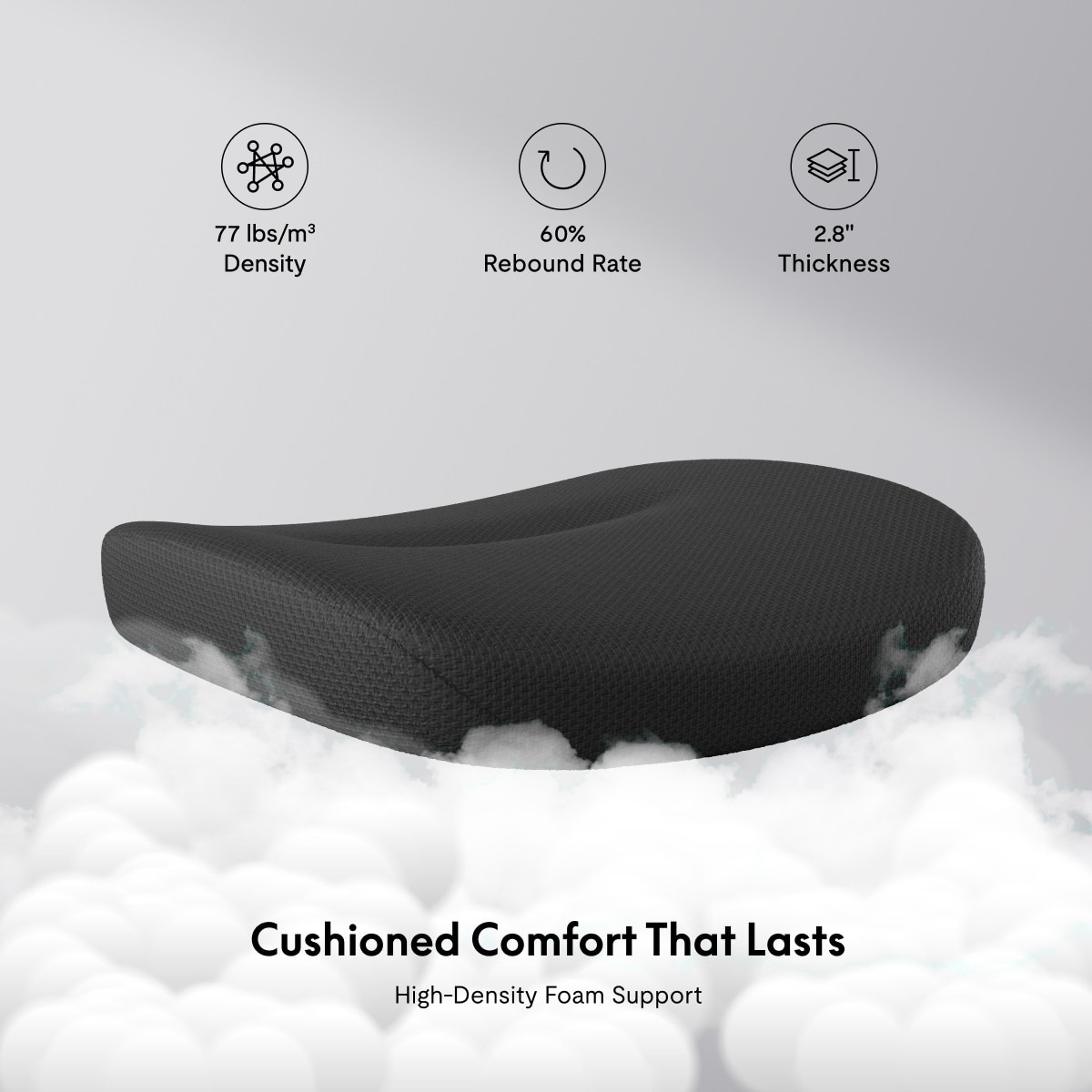
Deciding Between a Foam Seat and a Mesh Seat
Do not underestimate the seat material when browsing ergonomic office chairs under $500, for it can make a significant difference to your comfort level. Whether you spend your day writing, coding, or keeping yourself occupied with back-to-back calls, your seat can determine how your body feels after hours of sitting.

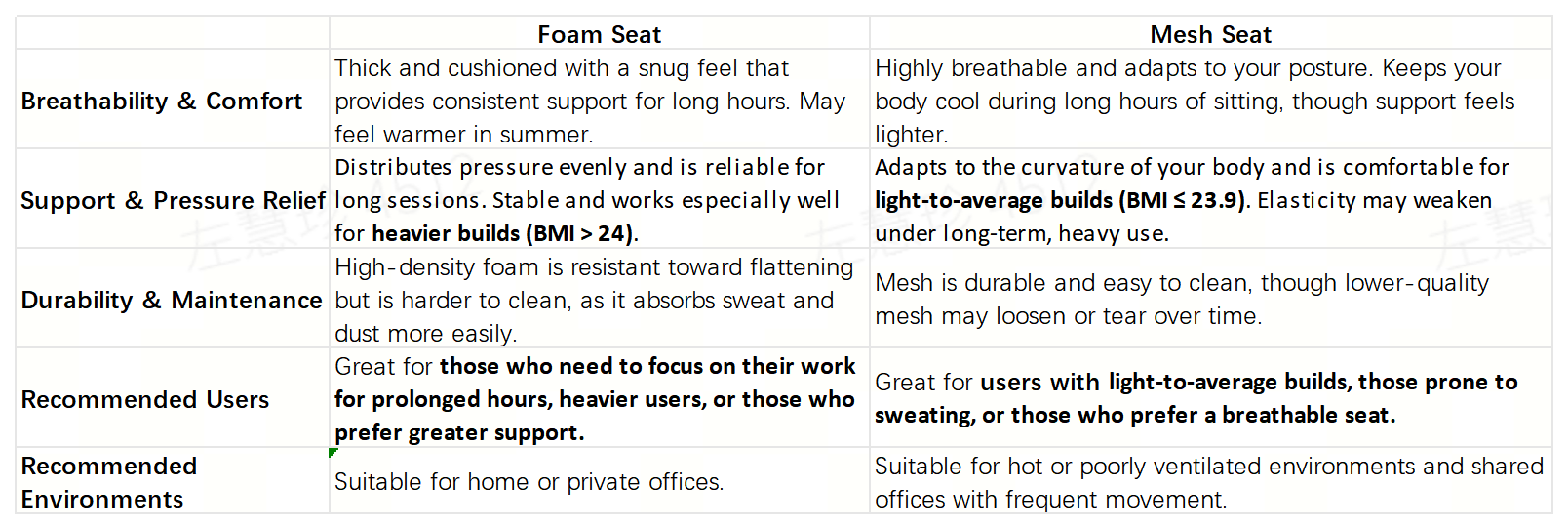
How to Calculate Your BMI
• Imperial (lb & inches): BMI = (Weight in lb ÷ Height in inches²) × 703
• Metric (kg & cm): BMI = Weight (kg) ÷ (Height (m)²)
Step 2: Ensure Adjustability and Pick the Right Accessories
Lumbar Support, Headrest, and Armrests
Spending under $500 for an ergonomic office chair doesn’t mean you have to compromise on adjustability. Just focus on these three essentials: lumbar support cushion, headrest, and armrests.
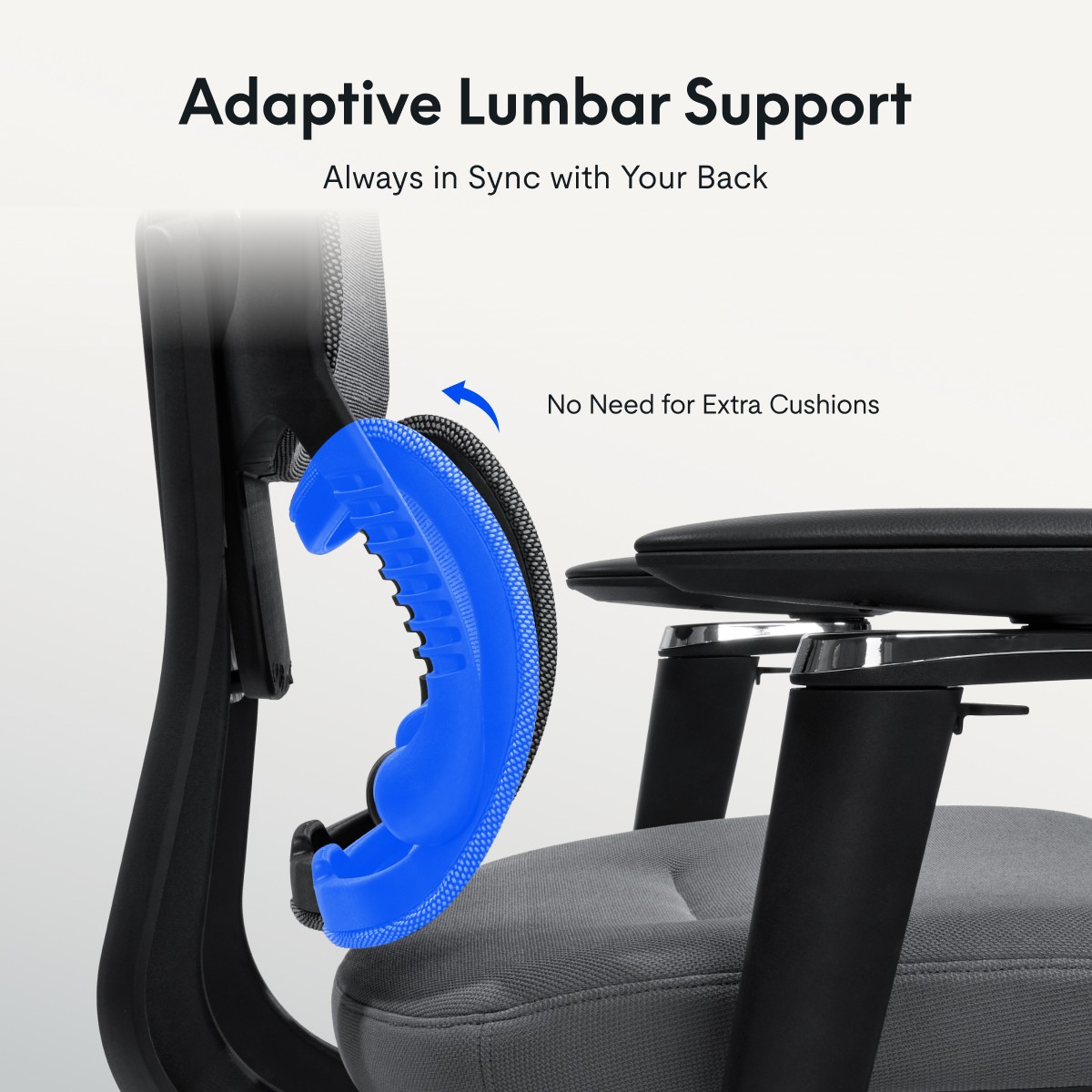
Lumbar support is an essential feature of every ergonomic chair. Thus, make sure your chair’s lumbar support cushion has a height adjustment range of at least 3 cm to 4 cm to fit the natural curvature of your spine. The lumbar support cushion of some advanced models even come with a depth adjustment range of about 2 cm, which provides better support for different body types.
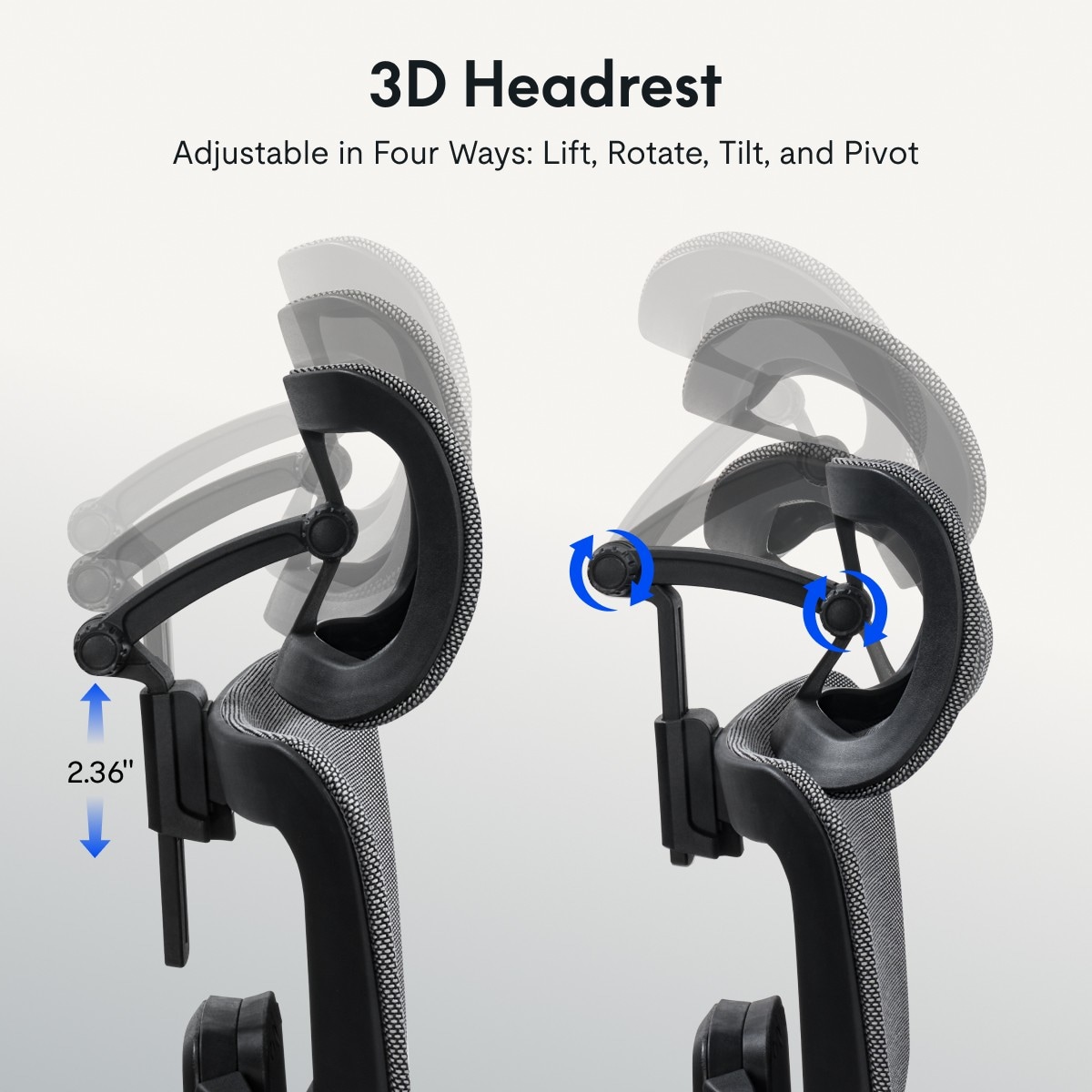
The adjustment of the headrest depends on your sitting habits. If you often lean back, choose one that is height-adjustable and has an angle adjustment range of about 15° to 20° to reduce neck strain. On the other hand, if you sit upright most of the time, a headrest with a basic height adjustment function ranging from 5 cm to 7 cm is good enough.
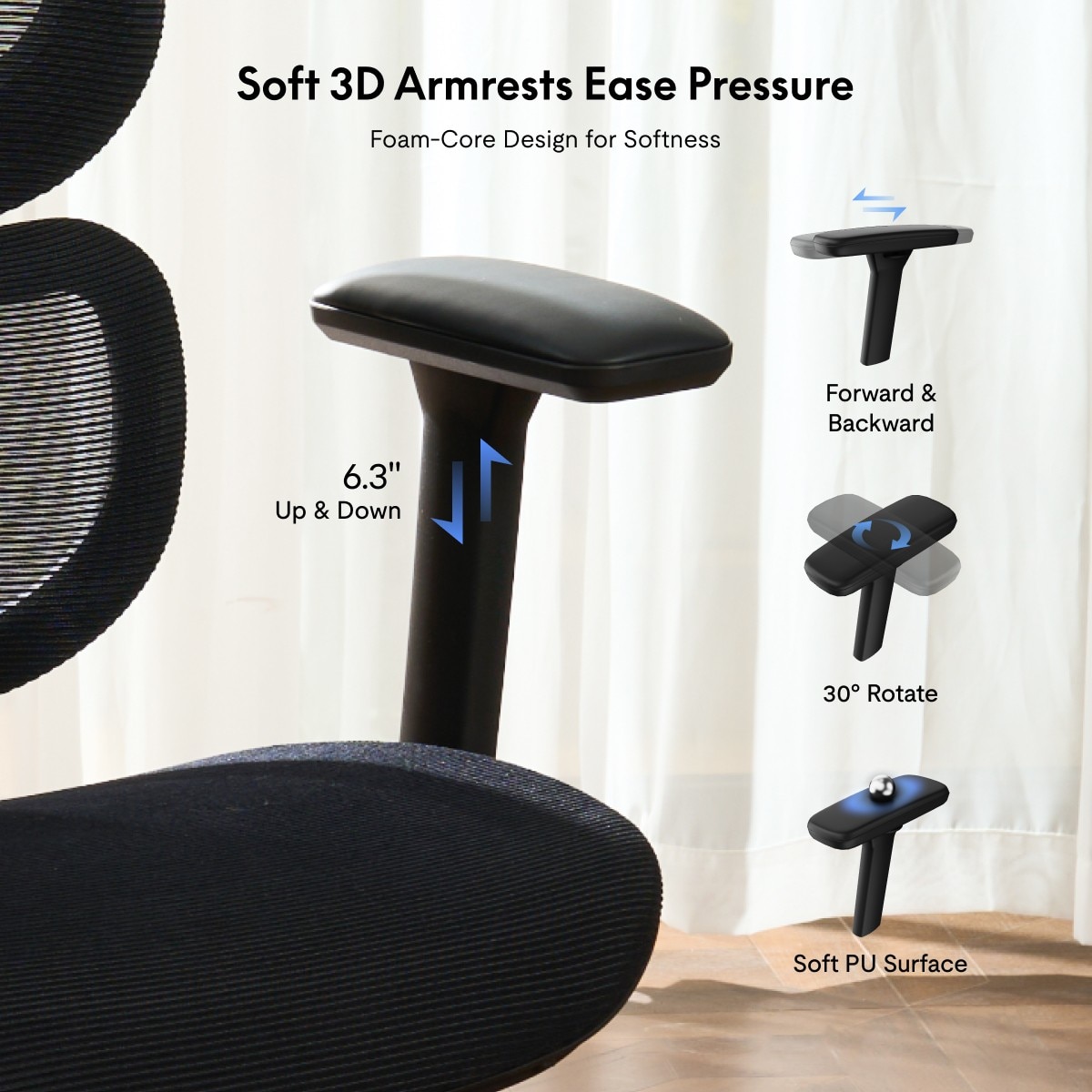
Armrests allow you to rest your arms and prevent fatigue. A pair of height-adjustable 3D armrests that can also be shifted forward and backward and rotated works well for most users. If you have broader shoulders, a pair of 5D armrests that come with additional width (48 cm to 56 cm) and angle adjustments would offer a more tailored fit.
Accessories for Your Ergonomic Office Chair
Essentials for Comfort and Mobility: Footrests and Casters
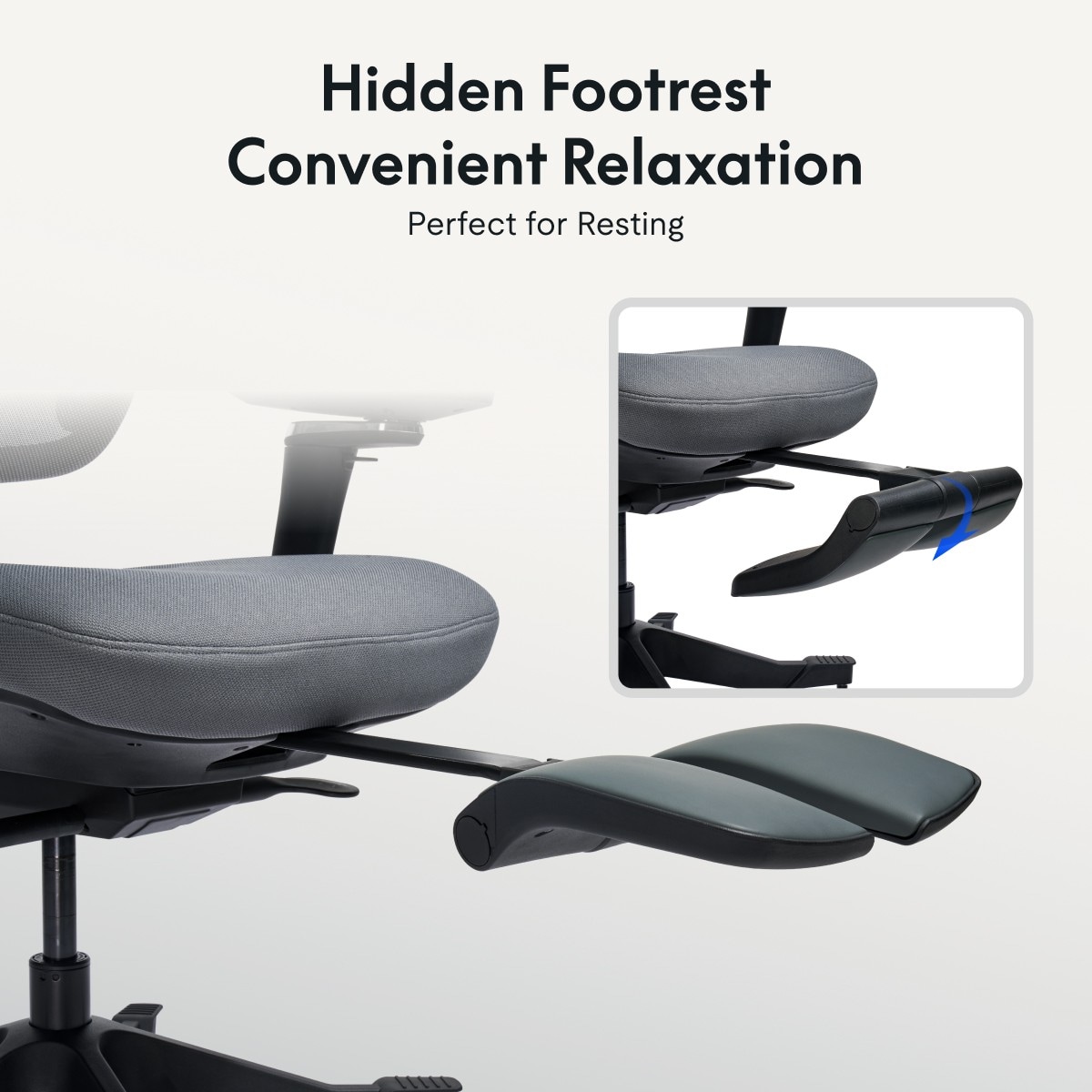
A footrest is a blessing on a long workday. A retractable footrest lets you stretch your legs when reclining to reduce fatigue and leg cramps. They are especially helpful for shorter users who can’t place their feet flat on the floor or for anyone who wants to relax during breaks.
Generally, footrests can be adjusted up to 75°, with some models going up to 90°. However, do keep in mind that chairs with footrests usually take up more space, so measure your office area first if it’s small.
Casters are often overlooked but affect the daily use of ergonomic chairs. If your floor is made of hardwood, choose soft PU casters as they provide grip without scratching the floor. A chair with PU casters should roll smoothly when pushed without leaving any marks on the floor.
On the contrary, if you have a carpeted floor, use rugged nylon casters with grooves, for they are designed to roll on carpets easily without sinking into the thick fibers. Most chairs under $500 come with basic casters, but you can upgrade them based on your floor type for $15 to $50 if needed.

Bonus: Keep Fit With a Mini Exercise Bike
If you are seated for more than eight hours daily, a mini, under-desk exercise bike is a great add-on for your ergonomic office chair to encourage mobility and combat a sedentary lifestyle. Most mini exercise bikes cost between $50 to $80, and pedaling slowly while working can improve blood circulation in your leg and reduce swelling.
Choose models with adjustable resistance levels, where you can switch between light resistance for casual pedaling and greater resistance for a low-impact cardio workout. Most importantly, make sure the bike’s height matches your chair’s. When pedaling, your knees should bend comfortably at 90° to 100° to avoid injury.
Step 3: Review the Warranty Information Carefully
Oftentimes, the warranty reflects the quality of a product. The average warranty period for ergonomic chairs under $500 is one to two years, but some reliable brands offer a warranty of up to ten years, covering the frame, base, and sometimes the adjustment levers of the chair. This type of warranty matters because these parts are the most prone to wear and tear. For example, a frame warranty ensures no bending of the frame after years of daily use, and coverage for levers can help you save on repair costs if your lumbar adjustment mechanism gets stuck.
Avoid chairs with less than six months of warranty as such chairs are typically made of low-quality materials. When checking the terms of your warranty, it’s essential to confirm that structural parts are included in the coverage and not just fabric or foam.
Step 4: Confirm That Your Chair Is a Good Fit
Before making a purchase, it is crucial to check that your ergonomic office chair is the right fit for you, both in terms of your build and office space, to ensure long-term comfort.
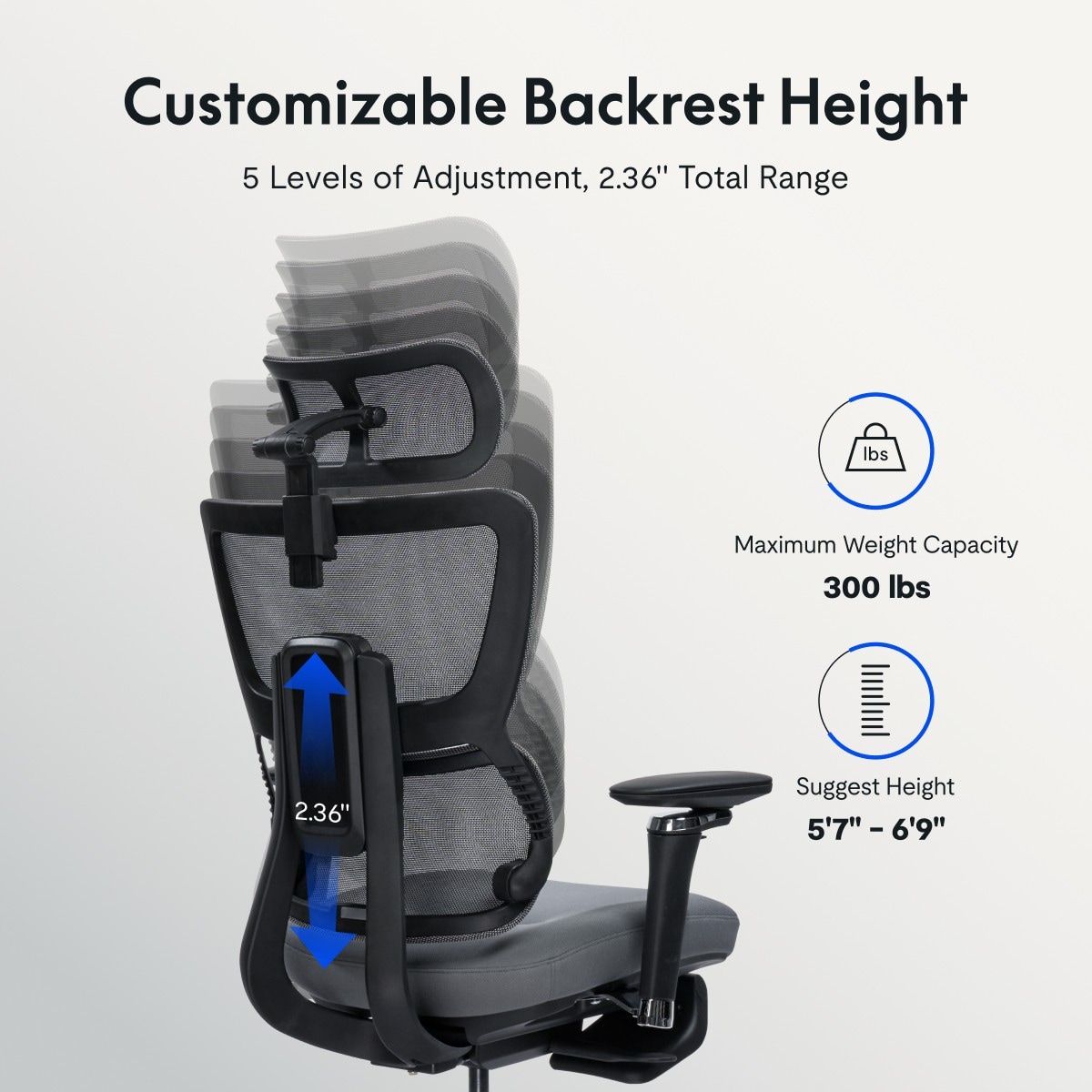
Chairs with a seat height adjustment range of 6.3 to 7.9 inches work for most users between 5’1” and 6’3”. If you’re over 6’1”, opt for an extended backrest with a height of 23.6 inches and above to support your upper back properly. Meanwhile, as mentioned earlier, users with broad shoulders need wider armrests, while petite users under 5’1” are advised to opt for a shorter seat depth of 16.5 to 17.3 inches so they can place their feet flat on the floor.
Space is another critical factor. Compact chairs with a width of 25.6 inches or less are ideal for small desks, while chairs with footrests require an extra 7.9 to 11.8 inches of legroom. Hence, do remember to measure the area of your office space first before purchasing a chair.
Conclusion
To sum up, choosing the right ergonomic office chair under $500 isn’t just about price; it’s about balancing safety, comfort, and ensuring it’s the right fit for you. By following a few simple steps, you can avoid common pitfalls and find a chair that truly supports your work life.
• Step 1: Check the Core Features of Your Chair
For starters, make sure your chair has at least the following features: a minimum weight capacity of 250 lb (113 kg), a high-density foam seat or mesh seat, a height-adjustable lumbar support cushion, and a pair of 3D armrests.
• Step 2: Ensure Adjustability and Pick the Right Accessories
Check that your chair’s lumbar support cushion, headrest, and armrests can be adjusted to suit your needs. Opt for a footrest if you need to rest your legs, and make sure your chair’s casters match your floor type. For those who want to keep fit while at work, you can get a mini, under-desk exercise bike.
• Step 3: Review the Warranty Information Carefully
Aim for a warranty that is valid for three to ten years and covers structural parts like the chair’s frame, base, and levers. Avoid chairs with less than six months of warranty.
• Step 4: Confirm That Your Chair Is a Good Fit
Check that your chair fits your height and body type and remember to measure your overall office area before making a purchase.
🌟 Focus On the Chair That Fits You
The right chair will keep you comfortable, maintain your posture, and give you the best value for under $500. Spend some time comparing a few models, and your body will thank you in the long run.
FAQ
1. Foam vs. Mesh Seat: Which One Is More Durable?
Ergonomic office chairs with mesh seats are more breathable, making them ideal for prolonged sitting in warmer environments, while foam seats provide better cushioning and are less likely to cause discomfort. High-density foam cushions can last for years without sagging, but poor-quality foam flattens quickly. When it comes to the best budget office chairs under $500, a hybrid design featuring a mesh backrest with a foam or memory-foam seat offers both durability and comfort.
2. Can an Ergonomic Chair Priced Under $500 Support Heavy Users?
Yes, but do focus on the chair’s weight capacity and frame quality. Most budget office chairs support up to 250 lb (113 kg), but heavy users are advised to choose chairs with a minimum weight capacity of 300 lb (136 kg) or more. These usually feature thicker steel frames (≥ 1.2 mm) and wider reinforced bases (typically ≥ 60 cm in diameter) for stability. Avoid chairs with plastic bases or thin steel frames (< 0.8 mm), as they may wobble or break under stress. Moreover, always check user reviews from heavier users to ensure the chair meets your expectations.
3. Are Ergonomic Chairs Priced Under $500 Suitable for All Body Types?
Such ergonomic chairs can fit most body types with the right adjustments, but there are exceptions. For very tall users over 6’5” or 196 cm, an extended backrest (typically ≥ 65 cm) may be required, but this is rare for models under $500. For users with narrower shoulders (around 40 cm or less), some 3D armrests may be too wide, so look for chairs with less distance between the armrests, ideally between 45 cm and 48cm. Overall, ergonomic chairs under $500 work well for most users, but some people may need to increase their budget slightly to ensure the chair fits their body type.