
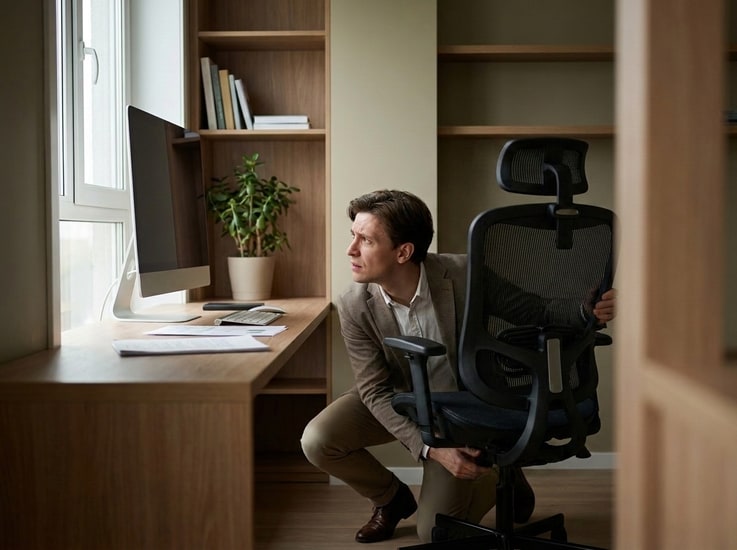
You lower your chair. Ten minutes later, you raise it again. Then you slide forward. Lean back. Shift sideways. Before lunch, you've adjusted your chair five different times. If this sounds familiar, you are not alone.
Many people assume they are simply using the wrong office chair. But in most cases, constant readjustment isn't caused by the chair itself. It is your body's way of responding to a workstation that no longer feels comfortable.
A chair is only one part of your workspace. Your desk height, monitor position, keyboard placement, and even how long you have been sitting all influence how your body feels throughout the day. When one element is slightly out of place, your body naturally looks for another position that feels better.
The problem is that the relief usually does not last. You adjust the chair again. And again. Eventually, it becomes part of your routine.
Understanding why this happens is the first step toward building a workspace that stays comfortable longer. This guide explains why your body keeps searching for another position and what it may actually be trying to tell you.
Quick Answer
If you constantly adjust your office chair, the most common reasons include:
- Your desk height doesn't match your sitting posture.
- Your monitor is encouraging you to lean forward or backward.
- Your keyboard or mouse forces your wrists into an awkward position.
- You have stayed in the same posture for too long.
- Your chair lacks the adjustments needed to support your body properly.
The important thing to remember is this:
Your body is not trying to find one perfect sitting position. It is trying to avoid staying in the same position for too long.
That is why simply buying a more expensive chair does not always solve the problem. Comfort comes from how your entire workstation works together, not from any single piece of furniture.
Why Constant Adjustments Are Usually a Good Sign
It may seem strange, but constantly changing position is not necessarily a bad habit.
In fact, ergonomists generally agree that movement is healthier than remaining perfectly still for hours at a time.
Your muscles gradually become fatigued when they support the same posture for long periods. Pressure builds under your thighs. Your lower back begins asking for more support. Your shoulders become tense as your arms remain in the same position.
Without consciously thinking about it, your body responds. You lean back. Cross your legs. Scoot closer to the desk. Lower the chair. Raise it again.
These small adjustments temporarily redistribute pressure and reduce muscle fatigue.
Healthy movement happens naturally. Constant readjustment is often compensation.
The problem is not that you are moving. The problem is why you have to move.
Healthy movement happens because your body naturally changes posture throughout the day. Constant chair adjustments often happen because your workstation is forcing your body to compensate for something that is not positioned correctly.
Understanding that difference makes it much easier to identify what actually needs to change.
The Real Problem Might Be Static Sitting, Not the Chair
Imagine trying to hold your arm straight out in front of you. For 30 seconds, it feels easy. For five minutes, it becomes uncomfortable. Nothing about your arm has changed. The position simply stopped changing.
Sitting works the same way. A posture that feels perfectly comfortable at 9:00 AM may feel unbearable by lunchtime, not because it was incorrect, but because your body was never designed to stay in one position for that long.
Researchers sometimes refer to this as static loading.
Even when muscles appear relaxed, many continue working at a low level to stabilize your spine, shoulders, and neck. Over time, blood flow decreases, tissues become fatigued, and your brain begins searching for a different position.
According to the Canadian Centre for Occupational Health and Safety (CCOHS), alternating between sitting and standing, as well as changing your sitting posture throughout the day, helps reduce muscle fatigue and discomfort. A well-designed workstation should support movement rather than discourage it.
The National Institute for Occupational Safety and Health (NIOSH) notes that prolonged static sitting increases the risk of musculoskeletal discomfort and recommends regular posture changes as a key preventive measure.
Research published in Applied Ergonomics has found that greater posture variability is associated with lower reports of musculoskeletal discomfort among office workers, supporting the importance of changing positions throughout the workday.
That is why you shift forward, then backward, then lean on one arm, then cross a leg. You are not necessarily correcting bad posture. You are simply giving different muscles a chance to work.
Why "Perfect Ergonomics" Does Not Stay Perfect
Many ergonomic guides focus on finding the ideal sitting posture. Elbows around 90 degrees. Feet flat on the floor. Monitor at eye level. Those recommendations are useful, but only as a starting point.
--altImgStart--{"link":"https://s3.springbeetle.com/prod-us2-bucket/desk-height-vs-chair-height-ergonomics_20260724_1mkKCajD.png","alt":"Diagram showing correct ergonomic sitting position including proper desk height, elbow angle, and eye-level monitor height."}--altImgEnd--
The problem is that no posture remains ideal indefinitely.
As muscles fatigue, joints naturally want slightly different angles. Even small shifts help redistribute pressure across different tissues.
In other words, your body does not want one perfect posture. It wants several good ones.
This is why many ergonomists now encourage dynamic sitting rather than trying to maintain a single rigid position throughout the day. Dynamic sitting involves regularly shifting your posture, whether by leaning back, adjusting your seat angle, or simply changing how you distribute your weight.
Movement is not a sign that your setup failed. It is evidence that your body is functioning normally.
The Chair Is Not the Only Thing You Are Adjusting
Pay attention the next time you change positions.
You may notice you are adjusting far more than the chair itself. Perhaps you pull your keyboard closer. Move your mouse farther away. Raise one shoulder while answering emails. Rest your elbow on the desk. Lean forward during focused work. Sit back while reading.
Each task subtly changes the way your body wants to sit.
Researchers who study office ergonomics have observed that people rarely maintain the same posture because they rarely perform the same task for very long. Typing, reading, video calls, brainstorming, and reviewing documents all encourage slightly different body positions.
Your posture changes because your work changes.
Small Environmental Factors Add Up
Sometimes the chair is not responsible at all.
Instead, tiny details around your workstation quietly influence how often you move.
For example:
- Your monitor may sit just an inch too low.
- Your keyboard could be slightly too far away.
- Your armrests might interfere with pulling close to the desk.
- Your desktop may be too crowded to position your mouse comfortably.
None of these problems seem significant on their own.
Together, they encourage dozens of unnecessary posture adjustments throughout the day.
People often assume they need a better chair when what they actually need is a better workstation. Proper desk ergonomics involves more than just the chair—it requires the right relationship between your desk height, monitor position, keyboard placement, and seating.
--altImgStart--{"link":"https://s3.springbeetle.com/prod-us2-bucket/office-chair-discomfort-diagnosis-checklist_20260724_VexrKI10.png","alt":"Office chair discomfort diagnosis checklist infographic showing symptoms like leaning forward or shoulder tightness."}--altImgEnd--
Diagnose Your Discomfort: Which Adjustment Is Your Body Asking For?
| If you notice... | Check first... | Possible reason... |
| Leaning forward often | Monitor height | Screen is below eye level |
| Crossing or uncrossing legs repeatedly | Chair height | Feet lack proper support |
| Shrugging shoulders while typing | Armrest position | Arms aren't properly supported |
| Reaching forward for your mouse | Desk depth | Keyboard is too far away |
| Sliding forward in your seat | Lumbar support | Backrest isn't supportive enough |
| Raising your chair throughout the day | Desk height | Desk is too high for typing |
Each of these patterns points to a different workstation issue. Fixing the right one often reduces the urge to adjust your chair dozens of times per day.
The Goal Is Not to Stop Moving
Many people read about ergonomics hoping to eliminate discomfort completely. That is probably the wrong goal.
The healthiest workstation is not one that keeps you perfectly still. It is one that makes movement easy.
A supportive chair should allow you to lean forward when concentrating, lean back while thinking, rotate slightly during conversations, and shift positions without feeling restricted.
Likewise, your desk should provide enough space for different working postures instead of locking you into one arrangement.
--altImgStart--{"link":"https://s3.springbeetle.com/prod-us2-bucket/dynamic-sitting-standing-desk-transition_20260724_pvVLPOXz.png","alt":"A professional demonstrating dynamic sitting and standing using an electric standing desk throughout the workday."}--altImgEnd--
How to Stop Constantly Adjusting Your Office Chair
If you find yourself constantly shifting throughout the day, do not immediately assume you bought the wrong chair.
Instead, ask a few simple questions.
1. Is your monitor positioned correctly?
A screen that is too low often causes you to lean forward without noticing. If your monitor position is off, even the best chair won't feel comfortable. Proper monitor height ergonomics keeps your neck in a neutral position and reduces the urge to lean forward.
2. Can your feet rest comfortably on the floor?
Unsupported legs increase pressure under the thighs and encourage frequent repositioning.
3. Are your armrests helping or getting in the way?
Armrests that are too high, too wide, or fixed in place often create shoulder tension instead of relieving it.
4. Do you have enough room to change positions?
A cluttered desk limits natural movement and encourages awkward sitting angles. Learn more about cable management and desk organization to create a cleaner, more flexible workspace.
5. Is your desk height properly matched to your chair?
If your desk is too high or too low relative to your chair, your shoulders, wrists, and legs may compensate throughout the day. Many people assume the chair is uncomfortable when the real issue is the relationship between chair height and desk height.
Sometimes improving one small part of the workstation reduces dozens of unnecessary adjustments.
The Best Office Setup Supports Movement
People often think the goal of ergonomics is to find one perfect sitting position.
Modern ergonomics suggests something different.
The best workstation is one that makes it easy to change positions throughout the day.
A supportive chair should move with you rather than encourage you to remain perfectly still. Your desk should provide enough space for different tasks and postures. Your monitor should be easy to view whether you are leaning slightly forward, sitting upright, or reclining during a video call.
Comfort is not created by finding the perfect position. It is created by making it easy to move between many comfortable positions.
Final Thoughts
If you keep adjusting your chair throughout the day, don't assume the chair is failing.
More often, your body is responding to the way your entire workstation is set up.
The goal isn't to stop moving. It's to remove the unnecessary reasons you have to.
A well-designed workspace supports natural movement instead of forcing constant compensation.
That's the difference between a chair that feels comfortable for five minutes and a workstation that stays comfortable all day.
Frequently Asked Questions
1. Is it normal to keep adjusting your office chair?
Yes. Most people naturally shift positions many times throughout the day. As muscles fatigue and pressure builds in certain areas, your body instinctively looks for a more comfortable position.
2. Why can't I find a comfortable sitting position?
Comfort is temporary because your body is not designed to remain in one posture for long periods. If no position feels comfortable for very long, your workstation setup, monitor height, or keyboard position may also need adjustment.
3. Does constantly moving mean my chair is bad?
Not necessarily. Even a well-designed ergonomic chair cannot eliminate the body's natural need to move. If you experience pain immediately after sitting down, the chair or its adjustments may be the issue. If discomfort develops gradually after 30 to 60 minutes, static sitting is often a more likely explanation.
4. Why does my office chair feel comfortable at first but uncomfortable later?
Discomfort caused by static sitting often develops gradually rather than immediately. If your chair feels fine at first but uncomfortable after 30 to 60 minutes, your posture, workstation setup, or lack of movement may be contributing more than the chair itself.
5. Can the wrong desk height make my chair uncomfortable?
Yes. If your desk is too high or too low relative to your chair, your shoulders, wrists, and legs may compensate throughout the day. Many people assume the chair is uncomfortable when the real issue is the relationship between chair height and desk height.
6. How often should I change my sitting position?
There is not one perfect schedule. Many ergonomists recommend changing your posture every 20 to 30 minutes, even if it is only a small movement such as reclining briefly, uncrossing your legs, or standing for a minute.
7. Is dynamic sitting better than perfect posture?
For most people, yes. Maintaining several comfortable postures throughout the day is generally considered healthier than trying to hold one "perfect" posture for hours. Frequent movement helps redistribute pressure and reduce muscle fatigue.
8. Can a standing desk solve this problem?
A standing desk can encourage more movement by making it easier to alternate between sitting and standing. However, neither sitting all day nor standing all day is ideal. The greatest benefit comes from regularly changing positions rather than remaining still in any one posture. If you are considering a standing desk, be sure to read our guide on desk ergonomics to learn more about proper setup.
By the FlexiSpot Ergonomic Research Team
Reviewed for ergonomic accuracy by our Workstation Design Specialists. Our team brings over a decade of combined experience in designing and testing height‑adjustable desks, monitor mounts, and seating solutions to help thousands of remote and office professionals work comfortably.
Sources
- Canadian Centre for Occupational Health and Safety (CCOHS). Computer Workstations: How to Set Up Your Workstation.
- National Institute for Occupational Safety and Health (NIOSH). Ergonomic Guidelines and Musculoskeletal Health.
- Waongenngarm, P., et al. (2018). Perceived musculoskeletal discomfort and its association with posture variability among office workers. Applied Ergonomics, 69, 19-24. Available at: https://www.sciencedirect.com/journal/applied-ergonomics