
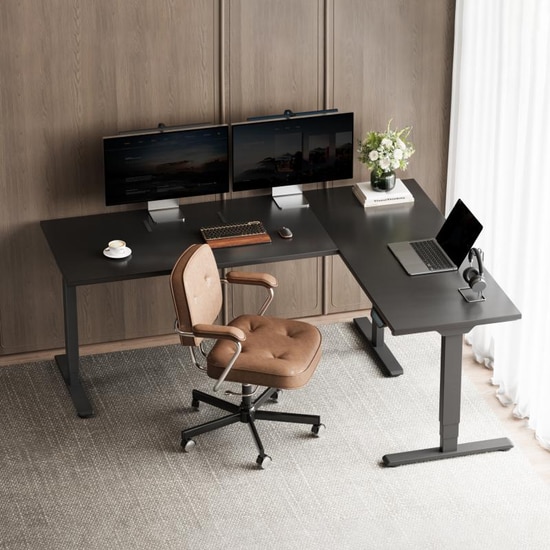
You finally upgrade to a standing desk. It looks great. It lifts smoothly.
Then you start typing. The monitor shakes. Every keystroke reminds you something isn't right.
Many people assume they bought a poor-quality desk. Sometimes that's true. But just as often, the desk itself isn't the real problem.
Standing desk stability depends on far more than price or brand. The height you're using, the frame underneath, your desktop size, your equipment, and even your floor all affect stability. That's why two people can buy the same desk and have completely different experiences.
This guide explains what actually causes wobble, why every desk moves more as it rises, and what to look for if you want a solid workspace.
Quick Answer
Yes. Most standing desks wobble slightly when fully raised, and a small amount of movement is completely normal. The important question is whether that movement interferes with typing, writing, or monitor stability.
If your monitor continues shaking after you stop typing, or the desk rocks while you rest your hands on it, the problem is usually the frame, monitor arm, uneven flooring, or desk setup rather than the motors.
The goal isn't zero movement. It's reducing it enough that you stop noticing it during normal work.
Why Weight Capacity Doesn't Tell You Much About Stability
Many shoppers focus on maximum lifting capacity. If one desk lifts 350 pounds while another lifts 220, the stronger one should feel more stable, right?
Not necessarily.
Lifting capacity measures what the motors can raise. Standing desk stability measures how much the desk moves once it's at height. Those are two different engineering problems.
A desk can lift a heavy load while still wobbling noticeably. Another desk with a lower weight rating may feel more rigid because of a better frame design.
Why Every Desk Is Less Stable at Standing Height
As a desk rises, its center of gravity moves higher. The lifting columns extend, creating a longer structure that naturally flexes more under force.
Imagine holding a broom vertically near the bottom, then near the top. The longer version moves more easily. A standing desk behaves the same way.
The real question isn't whether a desk moves. It's how much it moves during normal use.
What Actually Affects Standing Desk Stability?
The Frame Matters More Than the Motors
Motors affect how the desk moves up and down. They have little influence on stability once the desk stops moving.
The frame is what resists twisting and distributes forces evenly. Two desks with identical motors can feel completely different if their frames are engineered differently.
--altImgStart--{"link":"https://s3.springbeetle.com/prod-us2-bucket/standing-desk-stability-frame-vs-motor_20260728_bcaB3Qa4.png","alt":"Comparison showing that standing desk stability depends on frame rigidity rather than motor lifting capacity."}--altImgEnd--
Lifting Columns Become More Flexible as They Extend
As columns telescope upward, they create a longer unsupported section that flexes more. This is why every desk feels more solid at sitting height.
Three-stage columns often provide more overlap between sections, which improves rigidity at tall heights, especially for taller users who work near maximum extension.
--altImgStart--{"link":"https://s3.springbeetle.com/prod-us2-bucket/2-stage-vs-3-stage-standing-desk-legs_20260728_aj7AYsks.png","alt":"Comparison of 2-stage and 3-stage electric standing desk legs showing column overlap at maximum height."}--altImgEnd--
This follows a basic principle of structural mechanics. As the unsupported portion of a lifting column becomes longer, its resistance to bending naturally decreases. That's why every height-adjustable desk feels slightly less rigid at its tallest setting.
Wider Desktops Create More Leverage
A larger desktop gives equipment more distance from the frame. Small forces produce larger movements at the edges. Oversized desktops are more prone to flexing and twisting.
Monitor Arms Amplify Movement
Imagine balancing a ruler on the edge of a table. Move the table one millimeter, and the far end of the ruler moves much farther. A monitor arm works the same way.
Even tiny desk movement becomes noticeable at the screen. Ultrawide and dual-monitor setups are especially sensitive. The farther a monitor sits from the desk surface, the larger the movement appears. Even if the desk only moves slightly, the monitor may seem to wobble much more because the arm increases the distance from the pivot point.
Many users blame the desk when the monitor arm is actually the problem. This is why two desks with identical stability can appear very different depending on the monitor setup.
If you're using multiple displays, choosing the right monitor arm can improve both ergonomics and perceived stability.
--altImgStart--{"link":"https://s3.springbeetle.com/prod-us2-bucket/how-monitor-arms-amplify-desk-wobble_20260728_cQrMvGj5.png","alt":"Infographic showing how a extended monitor arm acts as a lever and amplifies standing desk wobble."}--altImgEnd--
Your Floor Matters
Sometimes the problem isn't the desk at all. It's the surface beneath it.
Standing desks are tested on rigid, level floors. Real homes have carpet, wood variations, or uneven surfaces. A desk that feels stable on concrete can rock on thick carpet.
Checking whether all four feet contact the floor evenly often solves more problems than tightening bolts.
Weight Distribution, Not Total Weight
Adding weight doesn't always help. Uneven loading can actually increase twisting. Keep heavy equipment centered and distributed evenly left to right.
How Stable Does Your Desk Actually Need to Be?
The answer depends on how you work.
| Your Work Type | What Matters |
| Typing, emails | Slight vibration is usually fine |
| Multiple monitors | Frame rigidity becomes more important |
| Design, CAD, photo/video editing | Small movements are distracting—stability matters more |
| Standing most of the day | Stability at maximum height is critical |
| Leaning on desk frequently | Front-to-back rigidity matters most |
Rather than chasing the "most stable" desk, choose one that matches how you actually work.
Stability Scale: Which One Sounds Like Your Desk?
| If your desk... | What it probably means |
| Moves only while typing | Normal |
| Shakes after every keystroke | Needs improvement |
| Rocks while leaning | Check floor or frame |
| Continues moving after you stop | Excessive wobble |
How to Tell If Your Desk Is Actually Unstable
| Situation | Normal | Problem |
| Typing | Slight vibration that stops immediately | Monitor shakes for more than 1 second |
| Resting hands | Minimal or no visible movement | Desk visibly rocks or sways |
| Writing | No noticeable flex | Desktop dips under pressure |
| Pushing desk | Quick settle, then steady | Continues moving after you stop |
The goal is not zero movement. The goal is movement that doesn't interfere with your work.
If you stop noticing the desk after a few minutes, it is probably performing exactly as intended.
When Is Standing Desk Wobble Actually a Problem?
Most standing desks exhibit some movement at full height.
However, wobble may indicate a real issue if:
- You avoid using the standing position because the desk feels unstable.
- Your monitor continues shaking after you stop typing.
- The desktop rocks while resting your forearms on it.
- The movement becomes worse over time rather than remaining consistent.
If any of these happen, inspect the desk setup before assuming the frame is defective.
--altImgStart--{"link":"https://s3.springbeetle.com/prod-us2-bucket/standing-desk-wobble-troubleshooting-feet-adjustment_20260728_8SiaA7Xh.png","alt":"Step-by-step graphic showing how to adjust standing desk leveling feet and tighten frame bolts to reduce wobble."}--altImgEnd--
A 5-Minute Stability Check
1. Check every bolt. Even one loose fastener can reduce rigidity. Retighten after a few weeks of use because components settle.
2. Lower the desk. If wobble disappears, the desk is behaving normally. If wobble remains at both heights, something else is wrong.
3. Remove monitor arms and heavy accessories. Test typing again. If stability improves, those accessories were amplifying movement.
4. Test the floor. Push opposite corners. If one foot lifts, adjust the leveling feet until all four corners make even contact.
5. Watch the monitor edge while typing. If the screen moves more than the desktop, the monitor arm is likely the culprit.
Common Causes (and Fixes)
| Cause | What You Notice | Fix |
| Loose hardware | Movement in every direction | Tighten all bolts |
| Desk near max height | Wobble while standing | Lower slightly if possible |
| Heavy monitor arm | Screen shakes more than desk | Shorten arm or tighten joints |
| Uneven floor | Rocking corner to corner | Adjust leveling feet |
| Uneven weight | One side feels less stable | Center heavier equipment |
| Oversized desktop | Flex at edges | Use a frame designed for larger desktops |
Most stability issues aren't the desk's fault. They're setup problems.
What to Look for When Buying
Focus on engineering, not marketing. Look for specifications that explain how the desk is built, not just how much it can lift.
- A rigid frame that resists twisting
- Three-stage columns if you need a wide height range
- A desktop size that matches the frame
- Adjustable leveling feet
- A monitor setup that doesn't over-leverage the rear edge
These matter more than motor speed or weight capacity.
--altImgStart--{"link":"https://s3.springbeetle.com/prod-us2-bucket/standing-desk-stability-buying-checklist_20260728_K9ELihJu.png","alt":"Standing desk stability buying guide checklist showing key structural features to look for."}--altImgEnd--
Final Thoughts
No standing desk is perfectly rigid, and it doesn't need to be.
The goal isn't eliminating every millimeter of movement.
It's choosing a desk that's stable enough that you stop noticing it.
The best standing desk isn't the one that never moves. It's the one that's stable enough that you forget about it completely. Understanding what causes movement makes it much easier to choose a desk that feels stable for the way you actually work.
Frequently Asked Questions
1. How much wobble is normal?
Slight monitor vibration while typing at standing height is normal if it stops immediately when you stop typing. If it continues, check your setup.
2. Why does my desk wobble at standing height but not sitting height?
As the desk rises, columns extend and the center of gravity moves higher. More leverage means more flex. This is normal for any height-adjustable desk.
3. Do standing desks wobble more than regular desks?
Usually, yes. Because adjustable desks extend upward, they naturally experience more flex than fixed desks. A well-designed standing desk should remain stable enough that any movement doesn't interfere with normal typing or computer work.
4. Does a heavier desk feel more stable?
Not necessarily. Weight distribution matters more than total weight. Uneven loading can actually make wobble worse.
5. Can a monitor arm cause wobble?
Yes. Monitor arms act like levers, amplifying movement. Shorter extensions and tighter joints usually help.
6. Does a dual monitor setup make a standing desk wobble more?
Dual monitors themselves aren't usually the problem. However, two monitors mounted on a long monitor arm increase leverage, making small desk movements appear much larger. This doesn't always mean the desk is unstable. It often means the monitor setup is amplifying movement.
7. How can I make my desk more stable?
Tighten all bolts, adjust leveling feet, center heavy equipment, and shorten monitor arm extensions. These fixes often cost nothing.
8. Is it the desk or the floor?
If the desk rocks corner to corner, check the floor. Adjust leveling feet until all four corners make even contact.
By the FlexiSpot Ergonomic Research Team
Reviewed by members of our Product Engineering Team for technical accuracy. Our team brings over a decade of combined experience in designing, testing, and refining height‑adjustable desk frames, lifting columns, and stability systems.