
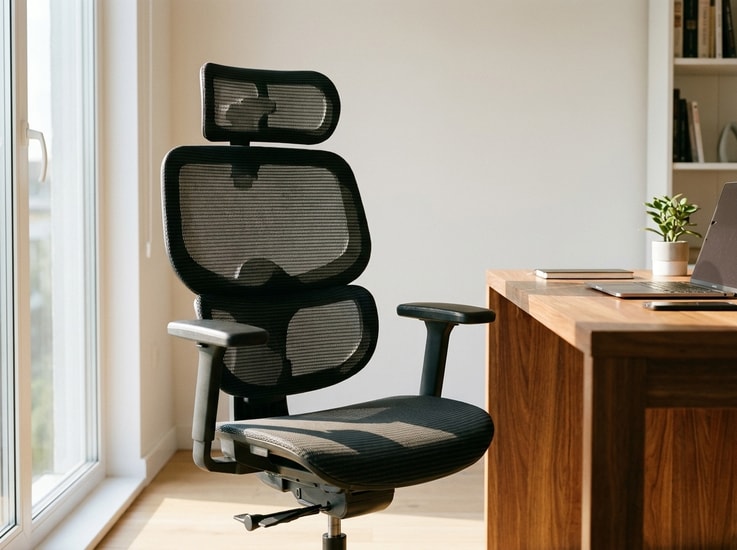
Many people spend hundreds of dollars on an ergonomic chair, only to find that their shoulders still feel tense or their lower back feels unsupported.
The reason is simple: ergonomic features only work when the chair fits your body. Even a well-designed chair with adjustable lumbar support, a reclining backrest, and multiple settings can create discomfort if those features do not match your height, proportions, or working habits.
Just like shoes or a mattress, an ergonomic chair should adapt to your body rather than forcing your body to adapt to it.
An ergonomic chair fits properly when your feet are supported, your lower back follows its natural curve, your shoulders remain relaxed, and your arms can work comfortably without strain. The goal is not to create one perfect sitting position, but to provide balanced support while allowing natural movement throughout the day.
Understanding these adjustment points can help you get more comfort from your current chair and recognize when a different setup may be needed.
This guide applies common workplace ergonomics principles used in office workstation assessments, including proper seating adjustment, neutral posture, and workstation alignment.
Quick Check: Is Your Ergonomic Chair Properly Adjusted?
Before changing your workstation or shopping for a new chair, take a moment to check these basics. If you answer "no" to several of these questions, your current chair may not be supporting your body as effectively as it could.
| Adjustment Check | Fits? |
| Can both feet rest flat on the floor? | ☐ |
| Does the lumbar support line up with the natural curve of your lower back? | ☐ |
| Is there a small gap between the front edge of the seat and the back of your knees? | ☐ |
| Are your shoulders relaxed while typing? | ☐ |
| Can your elbows stay close to your body while typing? | ☐ |
| Can you lean back comfortably without losing lower back support? | ☐ |
| Can you maintain a comfortable position without frequent adjustments? | ☐ |
Start with the areas that feel uncomfortable. Many fit issues can be improved before replacing the chair.
--altImgStart--{"link":"https://s3.springbeetle.com/prod-us2-bucket/7-signs-ergonomic-chair-fit-infographic_20260804_6418xNZt.png","alt":"Infographic showing the 7 key adjustment points of a properly fitted ergonomic office chair including seat height and lumbar support."}--altImgEnd--
Why Proper Ergonomic Chair Fit Matters
Many people judge a chair by its price, materials, or online reviews. These factors matter, but they don't determine whether the chair actually supports your posture throughout a full workday. What matters most is how well key adjustment points align with your body's natural shape and movement.
An ergonomic chair works by supporting a balanced sitting position while allowing natural movement as you work. When the seat height, seat depth, lumbar support, armrests, and backrest align with your body, your body can maintain a more comfortable and supported position throughout the day. If even one of these contact points is poorly adjusted, your body begins to compensate, often without you noticing.
Having ergonomic features does not automatically guarantee comfort. A seat that is too deep may push you away from the backrest, while armrests that are too high can create shoulder tension. These issues are often not caused by the chair itself, but by a mismatch between the chair's settings and your body dimensions.
Choosing an ergonomic chair with the right features is only the first step. Learning how the chair should fit your body is what determines whether it provides lasting comfort during long hours of work.
Workplace ergonomics guidelines from organizations such as OSHA and CCOHS recommend adjusting seating components to fit the user's body dimensions and workstation setup.
Sign 1: Your Feet Rest Flat on the Floor
One of the clearest signs that an ergonomic chair fits properly is that both feet rest comfortably on the floor while your knees remain at a comfortable angle, usually around 90 degrees or slightly greater. Your knees should be level with or slightly lower than your hips, with your feet fully supported.
When the seat is too high, your feet may hang or only your toes touch the floor. This shifts pressure to the backs of your thighs and reduces stability while sitting. If the seat is too low, your knees rise above your hips, which may encourage a rounded lower back posture over time.
When the seat is properly adjusted, your weight should be distributed evenly across the seat pan, with no pinching or excessive pressure behind the knees. Adjusting the seat height is usually the first step in achieving a better fit. If the chair is already at its lowest setting and your feet still cannot rest flat, a footrest may help create a more stable sitting position.
What to check:
- Feet rest fully on the floor or a footrest.
- Knees stay approximately level with or slightly below the hips.
- No noticeable pressure under the thighs.
Sign 2: The Lumbar Support Matches the Curve of Your Lower Back
Lumbar support should follow the natural inward curve of your lower back rather than press against the middle of your back or your hips.
Many ergonomic chairs include adjustable lumbar support, but simply having the feature does not guarantee that it is positioned correctly. If the support sits too high or too low, it may feel uncomfortable instead of supportive.
A well-positioned lumbar support helps maintain the spine's natural alignment while allowing your back muscles to relax. It should feel supportive without forcing you into an exaggerated posture.
When choosing a lumbar support chair, adjustable positioning is often more useful than a fixed support shape because body proportions vary widely.
What to check:
- The support fills the natural curve above the pelvis.
- Your lower back stays in contact with the backrest.
- You do not feel pressure pushing your back forward.
--altImgStart--{"link":"https://s3.springbeetle.com/prod-us2-bucket/ergonomic-chair-lumbar-support-adjustment-guide_20260804_Ckh9nQTv.png","alt":"A diagram showing a person sitting in a FlexiSpot professional ergonomic office chair with correctly adjusted lumbar support matching the natural curve of the lower back."}--altImgEnd--
Sign 3: There Is a Small Gap Behind Your Knees
Seat depth is one of the most overlooked ergonomic adjustments, yet it plays an important role in long-term comfort.
When sitting with your back fully against the backrest, there should be a small gap between the front edge of the seat and the back of your knees.
If the seat is too deep, you may slide forward and lose contact with the lumbar support. If it is too shallow, your thighs receive less support, concentrating more pressure on your hips.
The correct seat depth allows you to use the backrest fully without creating pressure behind your knees. A chair with adjustable depth allows it to fit a wider range of body sizes and is often more valuable than features that receive more attention, such as a headrest.
What to check:
- Two to three finger widths between the seat edge and the knees.
- Thighs remain evenly supported.
- You can sit fully against the backrest without feeling cramped.
--altImgStart--{"link":"https://s3.springbeetle.com/prod-us2-bucket/ergonomic-chair-seat-depth-adjustment_20260804_p1EVGI1u.png","alt":"Close-up view demonstrating proper seat depth adjustment with a finger gap between the seat edge and the back of the knees."}--altImgEnd--
Sign 4: Your Armrests Allow Your Shoulders to Relax
Armrests are often treated as an optional comfort feature, but their position can significantly affect your posture during long work sessions.
When armrests are too high, they can push your shoulders upward and create unnecessary tension in your neck and upper back. When they are too low, you may lean forward to support your arms, which can reduce the benefit of the backrest.
A properly fitted ergonomic chair allows your arms to rest naturally while your shoulders remain relaxed. Your elbows should stay close to your body, and your forearms should be supported without forcing your wrists into an uncomfortable position.
Adjustable armrests are important because users have different body proportions and working positions.
What to check:
- Shoulders remain relaxed instead of raised.
- Elbows stay close to your body while typing.
- Armrests support your arms without affecting your posture.
Sign 5: You Can Recline Without Losing Support
A common misconception is that good posture means sitting completely upright all day. In reality, healthy sitting involves changing positions and allowing your body to move naturally. Changing positions throughout the day can help reduce the discomfort that comes from maintaining one posture for too long.
A well-fitted ergonomic chair should allow you to change positions while maintaining consistent support. When you lean back, the backrest should continue supporting your spine instead of creating a gap between your lower back and the chair.
A chair with adjustable recline tension and a backrest that follows your movement can help maintain support while allowing position changes throughout the day. This is especially important for people who spend many hours working at a desk and naturally change positions over time.
What to check:
- The backrest follows your movement when you lean back.
- Your lower back stays supported during different positions.
- You can change posture without constantly adjusting the chair.
Sign 6: Your Chair Supports a Neutral Head and Neck Position
A properly adjusted headrest should support your head and neck when reclining without pushing your head forward during computer work.
If the headrest forces your chin toward your chest or changes your natural viewing angle, it may contribute to neck discomfort.
For people looking for an ergonomic chair for neck pain, proper head and upper-body alignment is usually more important than simply adding a headrest.
However, neck comfort also depends on monitor height and upper-body alignment. A properly adjusted chair works together with your workstation setup rather than replacing it.
For some users, a properly adjusted monitor height and backrest are sufficient to maintain comfortable upper body alignment without a headrest at all.
What to check:
- Your head stays balanced over your shoulders.
- The headrest supports you when reclining.
- You do not feel pressure pushing your neck forward.
Sign 7: Your Chair Supports Natural Movement Throughout the Day
A poorly fitted chair often reminds you of its problems. You may constantly adjust your sitting position, move to the edge of the seat, cross your legs for comfort, or stand up frequently because certain areas feel pressured.
A properly fitted ergonomic office chair works quietly in the background. It provides support where you need it while allowing natural movement throughout the day.
The goal of a properly adjusted chair is to allow the user to sit comfortably for extended periods without becoming constantly aware of the chair itself.
Comfort does not mean feeling locked into one position. Instead, it means having enough support and flexibility to maintain a healthy posture without constant effort.
What to check:
- You can work for extended periods without frequent adjustments.
- Your body feels supported rather than restricted.
- You can naturally change positions throughout the day.
Quick Summary: The 7 Signs of a Properly Fitted Ergonomic Chair
| Sign | What It Means |
| Feet supported | Your seat height allows stable lower-body support |
| Lower back supported | Lumbar support matches your spine's natural curve |
| Space behind knees | Seat depth fits your leg length |
| Relaxed shoulders | Armrests support your arms without tension |
| Movement supported | Backrest follows your changing positions |
| Neutral neck position | Head and neck stay aligned |
| Comfortable throughout the day | The chair supports without constant adjustment |
How to Fine-Tune Your Ergonomic Chair Fit
Before replacing your chair, check whether the current settings match your body. Small changes to seat height, seat depth, lumbar support, and armrest position can significantly improve how the chair feels during long work sessions.
Adjust the Seat Height First
Seat height affects your entire sitting position. Your feet should rest flat on the floor or on a footrest, while your knees remain at a comfortable angle. If your seat is too high, you may experience pressure under your thighs or find yourself leaning forward for stability.
Adjust the Seat Depth for Better Leg Support
Seat depth determines how much support your thighs receive and how well you can use the backrest. When the seat is too deep, you may slide forward to avoid pressure behind your knees. When it is too shallow, your legs may not receive enough support.
Position the Lumbar Support to Match Your Spine
Lumbar support should follow the natural curve of your lower back rather than forcing your spine into a specific position. If the lumbar support feels uncomfortable, try adjusting its height or firmness instead of assuming the feature does not work.
Set the Armrests Based on Your Working Position
Your armrests should support your arms while keeping your shoulders relaxed. When typing or using a mouse, your elbows should remain close to your body and your shoulders should stay relaxed.
Give Your Body Time to Adapt
A new ergonomic chair may feel different at first because your body is adjusting to a new support pattern. Instead of making multiple changes at once, adjust one feature at a time and use the chair for several work sessions before deciding whether it fits. Give your body a few days to adapt before concluding the chair doesn't work for you.
Your chair is only one part of an ergonomic workstation. Desk height, monitor position, and keyboard placement can also affect comfort.
How Ergonomic Chair Fit Changes for Different Body Types
An ergonomic chair should adapt to your body, not force your body to adapt to the chair. Different users may need different adjustment priorities based on height, body proportions, and working habits. This is why adjustment range often matters more than the number of ergonomic features a chair includes.
| User Type | Common Fit Issue | Helpful Adjustments |
| Short or petite users | Feet cannot reach floor, seat feels too deep | Lower seat height, adjustable seat depth |
| Tall users | Knees feel cramped, backrest feels too short | Higher backrest, deeper seat |
| Long-legged users | Thigh support feels insufficient | Adjustable seat depth |
| Broad shoulders | Armrests feel restrictive | Adjustable armrest width |
| Long work hours | Fatigue from fixed posture | Recline tension, multiple sitting positions |
--altImgStart--{"link":"https://s3.springbeetle.com/prod-us2-bucket/ergonomic-chair-fit-different-body-types_20260804_iHqRDFTS.png","alt":"Illustration or photo guide showing how ergonomic chair adjustments suit different body heights and types."}--altImgEnd--
Short or Petite Users: Finding the Right Ergonomic Chair Fit
Short and petite users often benefit from a lower minimum seat height and adjustable seat depth. A seat that is too high or too deep can prevent the feet from resting comfortably and may reduce lower body stability. Standard seat pans can feel too deep for smaller body frames, making depth adjustment especially useful. For shorter users, seat height and seat depth adjustment are often more important than additional features.
Tall Users: Adjustments for Better Support
Tall users may need a chair with a higher backrest, greater seat depth, and a wider adjustment range. Without enough support, taller users may experience pressure under the thighs or insufficient upper back support. A deeper seat pan helps accommodate longer thighs, while a taller backrest provides better upper back support.
Other users may also benefit from specific adjustments: those with longer legs often need more seat depth to support their thighs, while those with broader shoulders may need wider armrests. Users working long hours frequently benefit from chairs that support movement and position changes throughout the day.
How to Tell If Your Ergonomic Chair Needs Adjustment
Even a high-quality ergonomic chair may not feel comfortable if its size or adjustments do not match your body. These common signs can help identify whether your chair needs adjustment or replacement.
You Sit Forward Instead of Using the Backrest
If you frequently sit near the edge of your chair, the seat depth, lumbar support, or desk height may not be properly adjusted. Sitting forward reduces contact with the backrest and prevents the chair from providing the support it was designed to offer.
Your Shoulders Feel Tense While Working
Shoulder tension often occurs when armrests are positioned too high, too low, or too far away from your body. Adjusting the armrests so your arms can rest naturally may help create a more relaxed working posture.
You Change Positions Constantly to Find Comfort
Frequent movement throughout the day is normal and encouraged, but constantly shifting because of pressure points or discomfort may indicate that the chair size, seat depth, or support settings are not suitable for you.
Your Lower Back Does Not Stay Connected to the Backrest
If your lower back loses contact with the chair when you sit normally, the lumbar support may not be positioned correctly. Adjusting the lumbar height or changing the seat depth can often improve the fit.
When Should You Replace Your Ergonomic Chair?
Adjustments can solve many comfort issues, but sometimes the chair itself may no longer provide adequate support.
Many quality office chairs are designed for long-term use, but wear, reduced support, and limited adjustability can affect whether they still fit your body properly.
Consider replacing your chair if:
- The seat cushion has lost its support and feels compressed.
- The backrest no longer stays in position.
- The lumbar support cannot reach a comfortable position.
- The adjustment range no longer matches your body.
- The chair creates pressure points even after proper adjustment.
Frequently Asked Questions
1. How should an ergonomic chair fit your body?
An ergonomic chair should support your body without forcing you into one position. Your feet should rest flat on the floor, your lower back should maintain contact with lumbar support, your shoulders should remain relaxed, and your arms should rest comfortably while typing. A proper fit depends on factors such as seat height, seat depth, lumbar position, and adjustability.
2. How do I adjust my ergonomic chair for the best posture?
Start by adjusting the seat height so your feet rest flat on the floor and your knees are level with your hips. Then set the seat depth so there's a small gap behind your knees. Position the lumbar support to match your lower back curve, and adjust armrests so your shoulders remain relaxed while typing.
3. How high should an ergonomic chair be?
Your ergonomic chair should be high enough that your feet rest flat on the floor and your knees stay level with or slightly below your hips. The correct height depends on your desk setup and body proportions, not a fixed measurement.
4. How do I know if my ergonomic chair is too big or too small?
Your ergonomic chair may be too large if your feet cannot reach the floor, the seat depth presses behind your knees, or your armrests force your shoulders upward. A chair may be too small if your thighs lack support or the backrest does not support your upper body properly.
5. What should I look for in a lumbar support chair?
A good lumbar support chair should allow you to adjust the position and firmness of the support so it matches the natural curve of your lower back. Fixed lumbar support may not fit all body types, so adjustability is key for long-term comfort.
6. Can an ergonomic chair help with neck pain?
An ergonomic chair may help reduce neck discomfort by supporting better overall posture, but the chair is only one part of the workstation setup. Proper head and neck alignment also depends on monitor height, screen distance, and desk position. A chair with adjustable back support and headrest can help maintain a more comfortable position during long periods of computer use.
References
- Canadian Centre for Occupational Health and Safety (CCOHS). Computer Workstations: How to Set Up Your Workstation.
- Occupational Safety and Health Administration (OSHA). Computer Workstations: Good Working Positions.